|
Getting your Trinity Audio player ready...
|
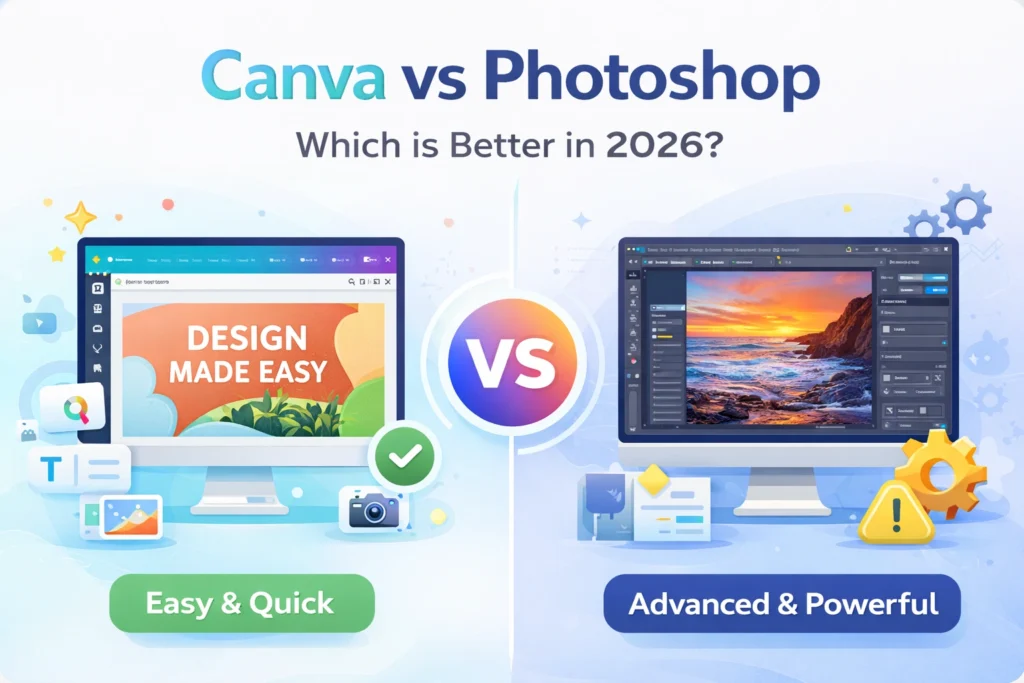
When it comes to graphic design, the debate between Canva and Adobe Photoshop is stronger than ever in 2026. Both tools dominate the market, but they serve very different types of users.
Some people want speed and simplicity. Others need deep control and professional-grade editing. So the real question is not just “which is better,” but which one is better for you.
Let’s break it down clearly.
What is Canva?
Canva is a cloud-based design tool built for beginners and non-designers. It offers drag-and-drop functionality, ready-made templates, and quick editing features.
Key Features:
- Thousands of templates
- Drag-and-drop editor
- AI-powered design tools
- Easy social media content creation
👉 Canva focuses on speed and simplicity.
What is Photoshop?
Photoshop is a professional image editing software used by designers, photographers, and digital artists worldwide.
Key Features:
- Advanced photo editing
- Layer-based design system
- High-end retouching tools
- Full creative control
👉 Photoshop focuses on precision and power.
Canva vs Photoshop: Quick Comparison
| Feature | Canva | Photoshop |
|---|---|---|
| Ease of Use | Very Easy | Difficult (Learning curve) |
| Editing Power | Basic–Moderate | Advanced |
| Templates | Yes (Huge library) | Limited |
| Price | Free + Affordable | Expensive |
| Best For | Beginners, marketers | Professionals, designers |
Ease of Use
Canva wins here easily. Anyone can create designs within minutes. You don’t need prior experience.
Photoshop, however, requires time to learn. Beginners often feel overwhelmed due to its complex interface.
👉 If you want quick results → Canva
👉 If you want full control → Photoshop
Features & Capabilities
Photoshop offers unmatched editing capabilities. You can manipulate images, create digital art, and perform advanced retouching.
Canva, on the other hand, provides essential tools but lacks depth. It works best for simple graphics, not detailed edits.
👉 Photoshop clearly wins in power.
Pricing
Canva offers a free plan with plenty of features. Its premium version is still affordable.
Photoshop comes with a subscription under Adobe Creative Cloud, which is more expensive.
👉 Canva is better for budget users.
Best Use Cases
Use Canva if you:
- Create social media posts
- Need quick designs
- Have no design experience
Use Photoshop if you:
- Edit professional photos
- Work on detailed graphics
- Need advanced tools
Pros and Cons
Canva Pros:
- Easy to use
- Fast workflow
- Affordable
Canva Cons:
- Limited advanced features
Photoshop Pros:
- Powerful editing
- Industry standard
- Full creative control
Photoshop Cons:
- Expensive
- Steep learning curve
Final Verdict
There is no universal winner. The better tool depends on your needs.
If you want speed, simplicity, and cost-effectiveness, Canva is the right choice. However, if you need professional-level editing and complete control, Photoshop is unmatched.
👉 In simple terms:
- Canva = Easy + Fast
- Photoshop = Powerful + Professional
FAQs
1. Is Canva better than Photoshop?
Not always. Canva is better for beginners, while Photoshop is better for professionals.
2. Can Canva replace Photoshop?
No. Canva cannot fully replace Photoshop for advanced editing tasks.
3. Which is better for beginners?
Canva is the best choice for beginners.
4. Is Photoshop worth learning in 2026?
Yes, especially if you want a career in design or editing.
5. Is Canva free?
Yes, Canva offers a free version with optional paid features.
Also Read: Trump’s 2025 UN Speech Shocks the World