|
Getting your Trinity Audio player ready...
|
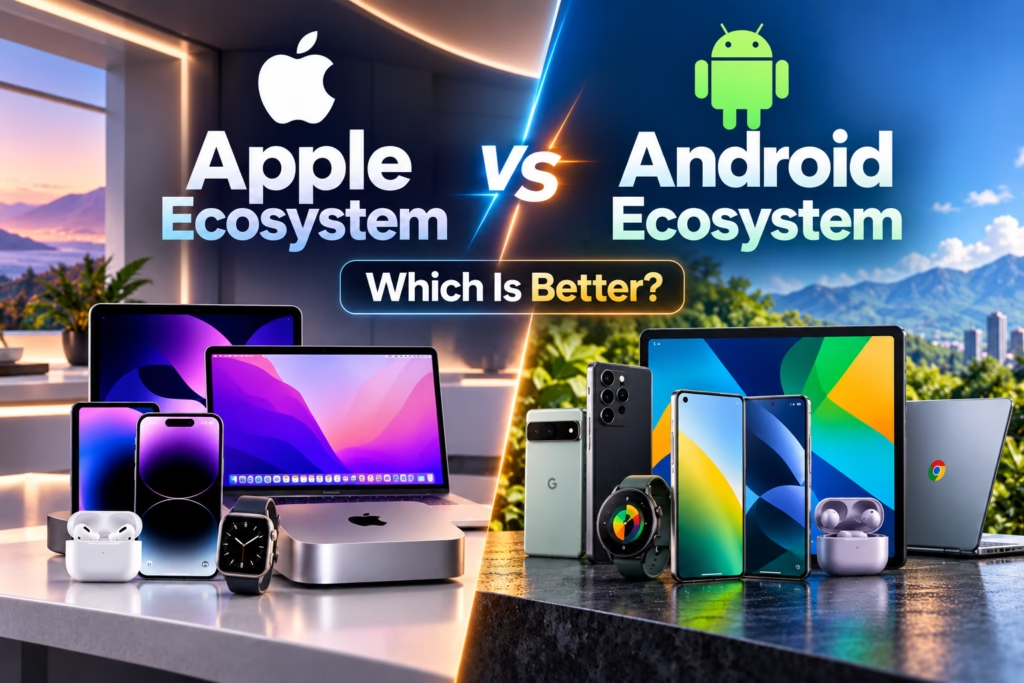
The Apple ecosystem and Android ecosystem are two popular ways to connect smartphones, computers, tablets, smartwatches and other digital devices. Both platforms allow users to synchronise information, share files, access applications and move between devices. However, they follow different approaches when it comes to hardware choices, software integration, customisation and pricing.
Apple connects products such as the iPhone, Mac, iPad and Apple Watch through its operating systems and services. Android, on the other hand, powers smartphones and tablets from several manufacturers, including Samsung, Google and OnePlus. Its ecosystem also connects with Windows computers, smartwatches, televisions and other compatible devices.
In 2026, choosing between Apple and Android is not simply about deciding which smartphone has a better camera or faster processor. It is also about understanding how your devices work together and which platform suits your everyday needs.
This guide compares the Apple ecosystem vs Android ecosystem across important factors, including connectivity, pricing, privacy, security, customisation, productivity and long-term value.
What Is the Apple Ecosystem?
The Apple ecosystem is a connected environment of Apple devices, software and services designed to work together. Its major products include the iPhone, Mac, iPad, Apple Watch and AirPods. Services such as iCloud, Apple Music, FaceTime and Find My add more functionality to these devices.
One of Apple’s biggest advantages is its integration between hardware and software. When you use compatible Apple products with the same Apple Account, you can access supported information across devices and use features that make everyday tasks easier.
For example, AirDrop lets you transfer files between nearby Apple devices. Handoff allows you to continue supported activities on another device, while Universal Clipboard lets you copy content on one Apple product and paste it on another.
The iPhone, Mac, iPad and Apple Watch can also work together for communication, productivity and fitness tracking. These features make the ecosystem particularly appealing to people who prefer using several Apple products.
However, the experience depends on device compatibility, software versions, account settings and feature availability. You can still use an iPhone or Mac independently, but some benefits become more noticeable when you own multiple compatible Apple devices.
What Is the Android Ecosystem?
The Android ecosystem is a network of Android-powered devices and connected services. Unlike Apple’s approach, Android is used by multiple manufacturers, giving consumers a wider choice of smartphones, tablets and other hardware.
Samsung Galaxy, Google Pixel and OnePlus devices are examples of products that use Android. Each manufacturer can offer its own interface, features and connected-device services while retaining access to many of Android’s core capabilities.
Google services such as Gmail, Google Photos, Google Drive, Google Maps and Google Meet help users access information across compatible devices. Quick Share supports file transfers between compatible devices, while cross-device services can make certain activities easier to move between supported Android phones and tablets.
Samsung also offers additional integration across selected Galaxy phones, tablets, watches, earbuds and Windows computers. Similarly, Google Pixel devices work with Google’s services and compatible products to provide a connected experience.
The main advantage is flexibility. Users can select devices based on their budget, preferred design, camera requirements and performance needs rather than buying products from a single manufacturer.
However, Android integration can vary between brands. A Samsung phone, Google Pixel phone and OnePlus phone may offer different connected-device features, even though they use Android.
Apple Ecosystem vs Android Ecosystem: Key Differences
The following table summarises the main differences between the two platforms.
| Feature | Apple Ecosystem | Android Ecosystem |
|---|---|---|
| Main approach | Strong integration among Apple products | Flexible integration across brands and services |
| Smartphone options | iPhone models | Many brands and price ranges |
| Computer integration | Strong native features with Mac | Google services, Windows integration and brand-specific tools |
| File sharing | AirDrop | Quick Share and other compatible methods |
| Cloud services | iCloud | Google Drive, Google Photos and other services |
| Customisation | More controlled experience | Generally more customisation options |
| Smartwatches | Apple Watch integration | Wear OS and manufacturer-specific options |
| Tablets | iPad | Samsung Galaxy Tab and other Android tablets |
| Pricing | Generally concentrated in premium and upper-midrange segments, depending on product | Broad range from budget to premium |
| Software experience | Consistent across Apple’s supported products | Varies by manufacturer and device |
| Device choice | Mainly Apple hardware | Multiple manufacturers and hardware categories |
Neither platform is better in every category. The right choice depends on which features matter most to you and how you plan to use your devices.
1. Device Integration: Which Ecosystem Connects Devices Better?
Device integration is one of the most important factors when comparing Apple and Android.
Apple device integration
Apple designs its devices to work together through features built into its operating systems. For example, you can copy text on your iPhone and paste it on your Mac using Universal Clipboard. With Handoff, you can start a supported task on one device and continue it on another.
A compatible iPad can serve as a second display for a Mac through Sidecar. Continuity Camera can also let you use an iPhone as a Mac webcam. These features reduce the need for separate applications or complicated setup processes.
Android device integration
Android also supports connected-device experiences. Google’s cross-device services can allow compatible Android phones and tablets to share internet access, move supported video calls between devices and discover other devices using the same Google Account.
Quick Share supports nearby file transfers, while compatible headphones can connect more easily through Fast Pair. Samsung adds its own features for connecting selected Galaxy products and Windows computers.
The difference is that Android’s experience depends more heavily on the brands and devices you choose.
The key distinction: Apple offers a relatively consistent experience across its supported products, while Android gives you more freedom to build an ecosystem around different manufacturers.
2. Smartphone Choice and Hardware Variety
Apple offers iPhones across different price and performance levels, but every iPhone follows Apple’s hardware and software approach. This makes the experience relatively consistent, although individual models differ in their cameras, displays, battery life and capabilities.
Android provides a much wider selection. Buyers can choose affordable smartphones for everyday use, gaming-focused phones, camera-focused flagships, foldable devices and premium models with specialised features.
This variety is particularly relevant in India, where smartphone buyers have different budgets and priorities. A person may want a basic phone for calls, messaging and online payments, while another may need a powerful device for gaming, photography or business.
Android makes it easier to compare products from different brands at similar prices. Apple, however, can be attractive to users who prefer the iPhone’s interface, long-term familiarity and integration with other Apple products.
3. Laptop and Computer Integration
The difference between Apple and Android becomes more noticeable when you compare their computer experiences.
iPhone with Mac
An iPhone and Mac can share supported files, messages, calls, photos and other information through Apple’s Continuity features and iCloud. Features such as Handoff and Universal Clipboard can make it easier to switch between devices during work.
For example, a content creator could take photos on an iPhone, organise them on a Mac and use an iPad for additional editing or planning. The exact workflow depends on the applications and features involved.
Android with Windows
Android phones can work with Windows computers through compatible applications and services. Users can transfer files, synchronise photos, access cloud documents and use supported phone-integration features. Some Samsung devices also offer additional Windows integration.
Android does not require you to use a specific computer brand. You can use a Windows laptop from one manufacturer, an Android phone from another and cloud applications to connect your workflow.
For people who already use Windows at work, Android may fit naturally into their existing setup. For users who prefer macOS, an iPhone can offer a more integrated experience.
4. File Sharing and Data Synchronisation
Moving files between devices is a common everyday task, and both ecosystems offer convenient options.
Apple’s AirDrop is designed to transfer files between nearby compatible Apple devices. Universal Clipboard allows supported content to be copied and pasted between devices, while iCloud synchronises selected information such as photos, documents and notes.
Android users can use Quick Share to transfer supported files between compatible devices. Google Drive and Google Photos provide cloud-based access to documents and photos, while Google applications help synchronise information across supported platforms.
For someone who regularly sends photos from a phone to a laptop, both systems can work well. The difference often comes down to the devices involved.
AirDrop is especially convenient when sharing between Apple products. Quick Share is useful within its supported device network, and cloud services can be more practical when working across different brands or operating systems.
5. Customisation and Personalisation
Customisation is one of Android’s strongest advantages.
Android users generally have more options to personalise the home screen, select default applications, use alternative launchers and adjust aspects of the interface. The level of control depends on the device manufacturer and Android version.
Some Android phones also support features such as split-screen multitasking, flexible home-screen layouts and additional system-level controls.
Apple has expanded iPhone personalisation over time, including options for widgets, home-screen layouts, wallpapers and other interface settings. Nevertheless, Apple’s overall experience remains more controlled than Android’s in many areas.
If you enjoy changing how your phone looks and behaves, Android may be more suitable. If you prefer a consistent interface with fewer configuration decisions, Apple’s approach may feel more comfortable.
6. Privacy and Security
Privacy and security are important when choosing any smartphone ecosystem. Both Apple and Android provide security features, but their approaches and implementations differ.
Apple controls its hardware, operating systems and app distribution processes more closely than most Android manufacturers. It provides features such as device encryption, app permission controls and two-factor authentication. Apple also offers privacy tools that help users manage how applications access selected information.
Android provides app permissions, Google Play Protect, security updates and other protective features. However, update availability and support periods can vary depending on the device manufacturer and model.
The Android ecosystem also includes devices with different levels of security support, so it is important to check the update policy before purchasing a phone.
Neither platform guarantees complete protection against every threat. Weak passwords, phishing messages, malicious applications and unsafe browsing can create risks on either system.
For better security, use a strong screen lock, enable two-factor authentication, install updates promptly and review application permissions regularly.
7. Cloud Storage and Online Services
Cloud services help keep information available across devices, but Apple and Android have different default options.
Apple uses iCloud for services such as photo synchronisation, file storage, device backups and supported application data. Users who rely heavily on Apple products may find it convenient to manage much of their information through one account.
Android users often rely on Google Drive, Google Photos, Google Contacts and Google Calendar. These services can also work across different operating systems, including Windows and Apple’s platforms through supported applications and web access.
Both ecosystems have free storage limits and paid plans. The amount of storage included, the services covered and the subscription cost depend on the plan available in your region.
When comparing costs, consider your total storage requirements rather than only the price of the smartphone. A large photo library or multiple device backups can make cloud storage an ongoing expense.
8. Smartwatches, Earbuds and Other Devices
Apple Watch offers close integration with the iPhone, including supported notifications, fitness tracking, health features and convenient interactions with other Apple products. AirPods can also switch between compatible Apple devices when the required settings and features are available.
Android users have more options for wearables and audio products. These include Samsung Galaxy Watch, Google Pixel Watch, Wear OS devices and earbuds from several manufacturers.
However, compatibility matters. An Apple Watch is designed primarily for use with an iPhone, and its full experience is not available when paired with Android. Similarly, some Samsung and Google wearable features work best with phones from their respective brands.
Before purchasing a smartwatch or earbuds, check whether the features you need work with your existing phone. A device may support basic Bluetooth connectivity while offering fewer advanced functions outside its intended ecosystem.
9. Pricing and Overall Cost in India
Price is one of the biggest differences between the Apple and Android ecosystems.
Apple devices generally occupy premium and upper-midrange segments, depending on the product and model. Buying an iPhone, Mac, iPad and Apple Watch together can require a substantial investment.
Android provides a wider price range. Buyers can start with an affordable smartphone and gradually add a tablet, smartwatch or other compatible products. Premium Android products can also be expensive, so Android is not automatically cheaper in every category.
The total cost includes more than the initial purchase. Consider accessories, repairs, cloud storage, subscriptions and the expense of replacing devices over time.
For Indian consumers, the practical question is not simply whether Apple or Android is cheaper. It is whether the connected features justify the extra spending for the way you use your devices.
10. Productivity for Students, Professionals and Creators
The best ecosystem can also depend on your work.
Students may value note-taking, document access, online classes and battery life. An iPhone and iPad combination can be useful for students who prefer Apple applications and services. Android phones and tablets offer alternatives at a wider range of prices.
Professionals who use a Mac may benefit from Apple’s Continuity features, particularly when moving between emails, documents, calls and files. However, people who rely on Windows software or workplace applications may prefer an Android phone connected to their Windows laptop.
Content creators should consider their specific tools. Apple products can offer convenient workflows across supported video, photo and editing applications. Android devices also provide capable cameras, editing applications and file-sharing options.
The best setup is the one that supports your actual work. Buying more devices does not automatically improve productivity if you do not need their features.
11. Can Apple and Android Devices Work Together?
Yes. You do not have to choose one ecosystem exclusively.
For example, you can use an Android phone with a Mac, an iPhone with a Windows laptop or an iPad alongside a Windows computer. Services such as Google Drive, Gmail, Google Photos and Microsoft 365 can help keep supported information accessible across different platforms.
However, some features are designed specifically for one ecosystem. AirDrop does not provide the same native experience with Android, and Apple Watch integration is primarily intended for iPhone users. Android’s manufacturer-specific features may also be unavailable on other brands.
A mixed-device setup can be practical if you choose compatible applications and services. The important thing is to understand which features you will gain and which conveniences you may lose.
12. Apple Ecosystem vs Android Ecosystem: Which Should You Choose?
The decision depends on your budget, existing devices and personal priorities.
Choose Apple if you:
- Already own an iPhone, Mac or iPad and want tighter integration with other Apple products.
- Prefer a consistent experience across compatible devices.
- Regularly use features such as AirDrop, Handoff and Universal Clipboard.
- Want an Apple Watch as part of your daily routine.
- Are comfortable with Apple’s device pricing and software approach.
Choose Android if you:
- Want a wider selection of phones across different budgets.
- Prefer greater customisation and hardware variety.
- Use a Windows computer and want to connect it with your smartphone.
- Want to choose products from different manufacturers.
- Prefer to build your connected setup gradually.
These are general guidelines rather than strict rules. Apple can work with Windows, and Android can connect with many different devices. Your existing applications and preferred services can matter as much as the brand itself.
FAQs
Is the Apple ecosystem better than the Android ecosystem in 2026?
Neither ecosystem is universally better. Apple provides strong integration across its own devices, while Android offers more hardware choices and customisation. The right option depends on your budget, preferred devices and daily requirements.
Can Android devices work with Apple products?
Yes. Android phones can work with Macs, iPads and other Apple products through compatible applications, cloud services, Bluetooth and file-transfer methods. However, certain Apple-specific features are not available across platforms.
Is Android cheaper than Apple?
Android offers more budget-friendly choices, but premium Android devices can also be expensive. Compare the complete cost of the products you need rather than assuming every Android setup will cost less.
Which ecosystem is better for students?
Both can suit students. Apple may appeal to those who want an iPhone, Mac and iPad to work together, while Android offers more affordable phones and tablets. The choice should depend on study requirements, applications and budget.
Which ecosystem is better for privacy?
Both platforms provide privacy and security controls. Actual protection depends on the device, software updates, application permissions, account security and user behaviour. Check the support policy and security features of the specific products you are considering.
Can I switch from Android to Apple or Apple to Android?
Yes. Both platforms offer migration tools and supported ways to transfer selected data. However, some application data, settings, subscriptions and device-specific features may need to be configured again.
Do I need to buy every device in one ecosystem?
No. You can start with a smartphone and add other products only when necessary. Many users get sufficient value from a phone and laptop, while others benefit from adding a tablet, smartwatch or wireless earbuds.
Conclusion
The Apple ecosystem vs Android ecosystem comparison comes down to two different approaches to connected technology. Apple focuses on integration across its own hardware and services, while Android offers a broader range of devices, manufacturers and customisation options.
Apple can be a strong fit for users who want their iPhone, Mac, iPad and Apple Watch to work together. Android can be a better fit for users who value flexibility, hardware variety and a wider range of prices. Both ecosystems support useful connected experiences, and neither requires you to purchase every available device.
Before making a decision, consider the products you already own, the applications you use and the features that genuinely save you time. Choose the ecosystem that fits your everyday life rather than buying devices simply to complete a collection.
If you want to understand Apple’s connected features in greater detail, read our guide to Apple Ecosystem Explained: How iPhone, Mac, iPad and Apple Watch Work Together. It explores how Apple’s devices communicate and how features such as AirDrop, Handoff and iCloud work in everyday situations.