
|
Getting your Trinity Audio player ready...
|
Apple is known for creating devices that work smoothly together. While the iPhone, Mac, iPad and Apple Watch are useful on their own, their real advantage becomes clearer when you use them as part of the same ecosystem. You can transfer files, answer calls, synchronise photos, share passwords and continue supported tasks across devices without constantly switching apps or manually moving information.
This connected experience is commonly known as the Apple ecosystem. It combines Apple’s hardware, software and services to make everyday digital activities easier. Whether you are a student, working professional, content creator or business owner, understanding how the Apple ecosystem works can help you decide whether investing in multiple Apple devices is worthwhile.
What Is the Apple Ecosystem?
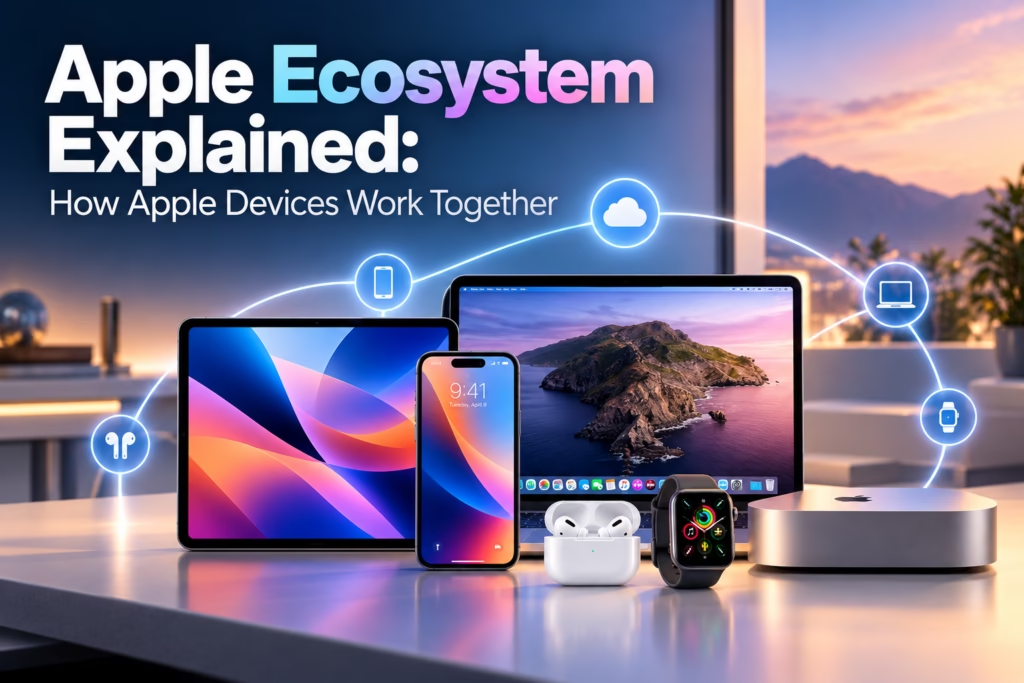
The Apple ecosystem is a connected network of Apple devices, operating systems, applications and services that work together. It includes products such as the iPhone, Mac, iPad, Apple Watch and AirPods, along with services such as iCloud, Apple Music, FaceTime and Find My.
For example, when you take a photo on your iPhone, it can appear on your Mac and iPad through iCloud Photos when synchronisation is enabled. Similarly, you can start writing an email on your iPhone and continue working on your Mac using Handoff, provided the feature is supported and configured correctly.
Instead of treating every device as a separate product, Apple allows compatible devices to share information and work together. This can save time, reduce repetitive tasks and create a more consistent experience across your devices.
How Does the Apple Ecosystem Work?
The Apple ecosystem works through a combination of Apple Account sign-in, wireless connectivity, compatible software and cloud synchronisation. When you sign in to compatible devices with the same Apple Account and enable the relevant features, your devices can share selected information and services.
Bluetooth and Wi-Fi support several nearby-device features, while iCloud synchronises supported data over the internet. Features such as AirDrop allow direct wireless file sharing, whereas Handoff helps you continue certain activities on another Apple device.
However, not every feature works automatically in every situation. Some features require compatible hardware, updated operating systems, specific settings or an internet connection. Understanding these requirements helps you get more value from your devices.
How the iPhone Connects With Other Apple Devices
The iPhone often acts as the central device in the Apple ecosystem because it stores photos, messages, contacts, apps and other everyday information. It can also connect with a Mac, iPad, Apple Watch and AirPods to extend what you can do.
For example, you can receive calls on supported Apple devices, share photos wirelessly, access synchronised notes and use your iPhone’s mobile data connection through Personal Hotspot. When you use the same Apple Account, supported information can remain available across your devices.
The iPhone also works with Apple Watch to display notifications, track supported health and fitness information, and manage everyday activities from your wrist. With compatible Macs, Continuity features can make switching between devices more convenient.
How the Mac Works With the iPhone
The Mac provides a larger screen and a desktop environment for work, editing, multitasking and productivity. When connected to the Apple ecosystem, it can work alongside the iPhone instead of operating as an entirely separate device.
Handoff
Handoff lets you continue certain activities from one Apple device on another. For instance, you may begin writing an email on your iPhone and continue it on your Mac. The application must support Handoff, and the required settings must be enabled.
Universal Clipboard
Universal Clipboard allows you to copy supported content on one Apple device and paste it on another nearby compatible device. You might copy a paragraph on your iPhone and paste it into a document on your Mac without sending the text to yourself.
iPhone Mirroring
On supported devices and in eligible regions, iPhone Mirroring lets you interact with your iPhone through your Mac. Availability depends on hardware, software, account and regional requirements.
Calls and Messages
Depending on your settings and device compatibility, you can receive supported iPhone calls and access messages from your Mac. This is especially useful when working at a desk because you do not need to pick up your phone for every interaction.
Together, these features help make the Mac a natural extension of the iPhone for work and daily communication.
How the iPad Fits Into the Apple Ecosystem
The iPad sits between the iPhone and Mac in terms of portability and screen size. It is useful for reading, studying, drawing, taking notes, watching videos and working with documents.
When connected to the Apple ecosystem, the iPad can access supported photos, files, notes and other synchronised information. AirDrop also makes it easy to transfer files between an iPad, iPhone and Mac.
Sidecar
Sidecar allows a compatible iPad to function as an additional display for a supported Mac. It can be particularly useful for designers, editors and professionals who need extra screen space.
Universal Control
Universal Control allows a compatible Mac and iPad to share a keyboard and pointer. You can move the cursor between the devices and work across them without setting up a traditional external monitor arrangement.
Notes and Documents
Apple Notes and other compatible applications can synchronise supported content across devices. You can make notes on your iPad during a meeting and access them later on your iPhone or Mac.
For students and professionals, this combination offers flexibility without requiring every task to be completed on a single device.
How Apple Watch Connects With the iPhone
The Apple Watch is designed to work closely with the iPhone. It brings notifications, fitness tracking, supported health features and quick actions to your wrist.
Once paired with a compatible iPhone, the watch can display notifications, manage calls and messages, track workouts and synchronise supported activity data. Depending on the model, configuration and connectivity, it can also support features such as Apple Pay and music playback.
The watch adds convenience rather than replacing the iPhone completely. Some functions depend on the paired iPhone, while cellular models can perform certain activities independently when the appropriate service is available.
For people who want to monitor daily activity, reduce the need to check their phone and access important information quickly, the Apple Watch can be a valuable part of the ecosystem.
How AirPods Improve the Apple Experience
AirPods provide another example of how Apple devices work together. When associated with the same Apple Account, compatible AirPods can make switching between supported Apple devices easier.
For instance, you might listen to music on your Mac and then answer a call on your iPhone. Automatic switching can help move the audio connection between compatible devices, although behaviour depends on settings, software versions and device support.
AirPods also offer features such as hands-free Siri access on supported models, while selected models include active noise cancellation and other advanced audio functions.
These conveniences make AirPods more than ordinary wireless earphones for users who regularly switch between Apple products.
The Role of iCloud in the Apple Ecosystem
iCloud is one of the most important services connecting Apple devices. It can synchronise supported information and keep selected content available across devices signed in to the same Apple Account.
iCloud Photos
When iCloud Photos is enabled, your photo library can synchronise across compatible devices. This means a photo taken on an iPhone can become accessible on an iPad or Mac without manually transferring it.
iCloud Drive
iCloud Drive stores supported files in the cloud, allowing you to access them across compatible Apple devices. It can be useful for documents, presentations, PDFs and other work files.
Contacts, Calendars and Notes
Supported contacts, calendars, reminders and notes can synchronise between devices. Changes made on one device can then appear on other devices using the same account and settings.
Passwords and Keychain
Apple’s password-management features can help securely store and synchronise supported passwords and passkeys across compatible devices.
However, iCloud storage is not unlimited. Your available storage depends on your plan, and users with large photo libraries or many files may need additional storage.
Apple Continuity Features Explained
Apple uses the term Continuity for several features that help compatible devices work together. These features are among the main reasons people choose multiple Apple products.
AirDrop enables nearby wireless file sharing. Handoff helps you continue supported activities across devices. Universal Clipboard shares copied content, while Sidecar and Universal Control improve the way a Mac and iPad work together.
Continuity Camera can also let you use a compatible iPhone as a webcam for a Mac. Depending on the supported devices and software, this can improve video calls without requiring a separate webcam.
These tools can reduce small but frequent interruptions throughout the day. Rather than emailing yourself files, searching for copied text or repeatedly transferring documents, you can use features designed to connect your devices.
Benefits of Using the Apple Ecosystem
Convenience Across Devices
One of the biggest advantages is the ability to move between devices without repeatedly setting everything up. Supported information, applications and services can remain connected across your Apple products.
Improved Productivity
Features such as Universal Clipboard, Handoff, Sidecar and Universal Control can reduce repetitive work. They are particularly useful for professionals who use a Mac and iPad throughout the day.
Consistent User Experience
Apple designs its hardware, operating systems and services to work together. This can create a relatively consistent experience when switching between devices, although individual apps and features may behave differently.
Centralised Device Management
Features such as Find My can help locate supported Apple devices. iCloud can also keep selected data synchronised, making it easier to access information when moving between devices.
Privacy and Security Features
Apple offers features such as two-factor authentication, device encryption and privacy controls. The exact protection depends on the feature and configuration, and using Apple products does not eliminate every security or privacy risk.
Disadvantages of the Apple Ecosystem
Despite its convenience, the Apple ecosystem has some limitations.
High overall cost: Buying an iPhone, Mac, iPad and Apple Watch can require a significant investment. Accessories and additional iCloud storage can increase the total cost.
Limited hardware choice: Apple offers a more controlled range of devices than Android. Users have fewer choices across manufacturers, designs and price categories.
Reduced flexibility in some areas: Certain Apple features work best within Apple’s own products and services. Connecting to devices from other manufacturers can sometimes require additional steps or different applications.
Dependence on compatible products: Some of the most convenient features require specific hardware, operating systems or account settings. Older devices may not support every feature.
Ecosystem switching costs: If you eventually move to another platform, transferring photos, files, passwords, applications and subscriptions may require planning.
These limitations do not make the Apple ecosystem unsuitable. Instead, they show why it is important to consider your budget and device preferences before buying multiple products.
Apple Ecosystem vs Android Ecosystem
The Apple ecosystem focuses on connecting Apple’s own devices, including the iPhone, Mac, iPad and Apple Watch. Its Continuity features and integration with iCloud can make moving between compatible products straightforward. The Android ecosystem, meanwhile, includes smartphones from brands such as Samsung, Google and OnePlus, alongside tablets, wearables, smart-home devices and Windows computers. Android offers more variety in hardware, pricing and customisation, while features such as Google’s cross-device services and Samsung’s connected-device tools can also create a joined-up experience. Neither ecosystem is automatically the right choice for everyone; the better fit depends on the devices you already own, your budget and the features you use most. For a detailed comparison of pricing, privacy, flexibility, customisation and everyday performance, read our related guide, Apple Ecosystem vs Android Ecosystem: Which Is Better?
Is the Apple Ecosystem Worth It?
The Apple ecosystem can be worthwhile if you regularly use several Apple devices and want them to work together with minimal manual effort. Students may appreciate synchronised notes and documents, while professionals can benefit from using a Mac, iPhone and iPad together.
However, buying every Apple product is not necessary. An iPhone paired with AirPods may be enough for one person, while another may benefit more from combining a Mac and iPhone for work.
The best approach is to start with the device that meets your primary needs. Add other products only when their features offer practical benefits that justify their cost.
FAQs
What is the Apple ecosystem in simple words?
The Apple ecosystem is a group of Apple devices and services designed to work together. It allows compatible devices to share information, synchronise supported data and perform tasks across products.
Can I use an iPhone with a Windows laptop?
Yes. You can connect an iPhone to a Windows laptop and use supported services, applications and file-transfer methods. However, some Continuity features available between an iPhone and Mac will not work in the same way.
Do I need all Apple devices to use the ecosystem?
No. You can benefit from the ecosystem with just two compatible Apple devices or even with a single Apple product and its services. More devices can provide additional conveniences, but they are not essential.
Does the Apple ecosystem work without the internet?
Some features, such as nearby AirDrop transfers, can work without an active internet connection. Other services, particularly cloud synchronisation, require internet access. Requirements vary by feature.
Is the Apple ecosystem better than Android?
Neither is universally better. Apple offers close integration among its own products, while Android provides broader hardware choices and customisation. Your preferred devices, budget and everyday requirements should guide your decision.
Can I switch from Android to the Apple ecosystem?
Yes. Apple provides migration options for transferring supported information from Android to an iPhone. Other data, applications and services may need to be transferred or configured separately.
Conclusion
The Apple ecosystem brings the iPhone, Mac, iPad, Apple Watch, AirPods and iCloud together to create a connected digital experience. Features such as AirDrop, Handoff, Universal Clipboard and Sidecar can make everyday tasks more convenient and help users work across devices.
However, the value of the ecosystem depends on how you use your devices. You do not need to own every Apple product to benefit from it, and the initial cost deserves careful consideration.
If you are deciding between Apple’s connected products and Android’s wider range of devices, understanding both platforms is the next step. Explore our comparison guide, Apple Ecosystem vs Android Ecosystem: Which Is Better?, to learn how they differ in flexibility, cost, features and everyday use.