
|
Getting your Trinity Audio player ready...
|
PHP is one of the most widely used programming languages for website development. It powers dynamic websites, content management systems, web applications, and platforms that process user information. Popular platforms such as WordPress also rely heavily on PHP for their core functionality.
However, PHP websites can become targets for cyberattacks when developers use outdated software, write insecure code, or fail to follow essential security practices. A single vulnerability can expose sensitive information, compromise a database, damage a website’s reputation, or allow an attacker to gain control of a server.
The risk is particularly important for website owners and developers because security threats continue to evolve. On October 21, 2026, the PHP development team announced critical security updates addressing two vulnerabilities, CVE-2026-109618 and CVE-2026-109619. The flaws could allow unauthenticated remote code execution on affected installations, making immediate patching essential.
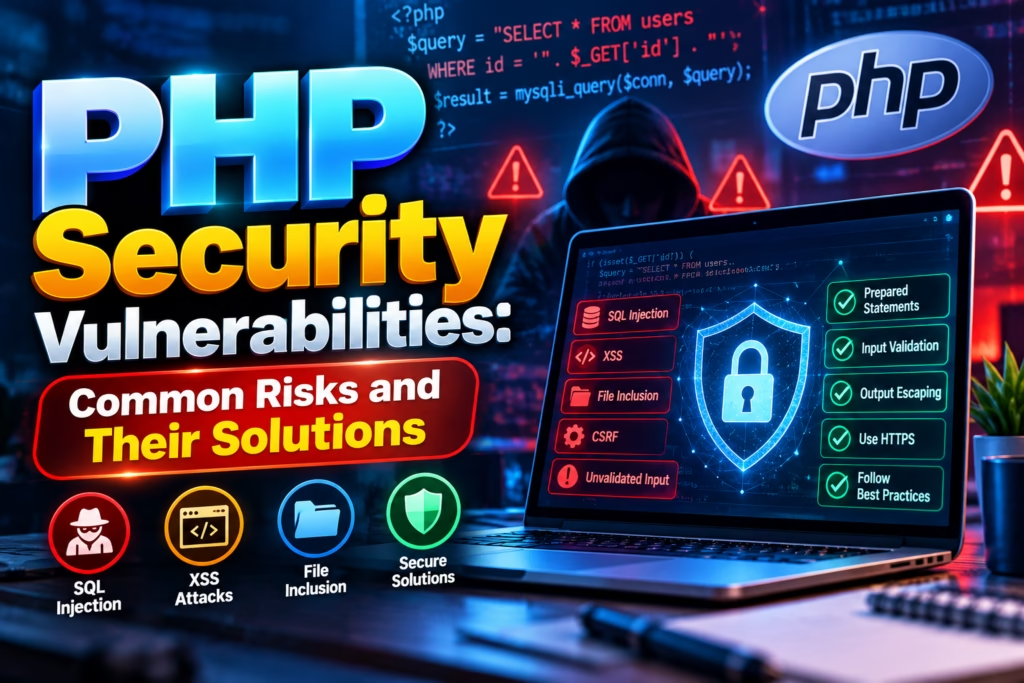
Understanding PHP security vulnerabilities is therefore an important step towards building a reliable and secure website. This guide explains 10 common PHP security risks, how they work, and what developers can do to prevent them.
What Are PHP Security Vulnerabilities?
PHP security vulnerabilities are weaknesses in PHP applications, their code, configurations, dependencies, or server environments that attackers may exploit to access unauthorised information or perform harmful actions.
These weaknesses can appear in contact forms, login systems, file uploads, database queries, session management, APIs, and administrative dashboards.
For example, an online store may allow users to enter information into a search box. If the application handles that input incorrectly, an attacker could attempt to manipulate a database query or inject unwanted code.
Not every vulnerability comes directly from the PHP language itself. Many security problems arise from the way developers write applications, configure servers, or maintain third-party software.
10 Common PHP Security Vulnerabilities and Their Solutions
1. SQL Injection
SQL injection occurs when an application places untrusted user input directly into a database query. An attacker may manipulate that input to change how the query behaves.
For example, an insecure login form could allow someone to interfere with the database query used to verify a username and password. Depending on the vulnerability, this may expose information or bypass intended checks.
How to prevent SQL injection
Developers should use prepared statements and parameterised queries instead of combining raw user input with SQL commands.
In PHP, PDO and MySQLi support prepared statements. Developers should also restrict database permissions, validate inputs, and avoid exposing database errors to website visitors.
2. Cross-Site Scripting (XSS)
Cross-site scripting occurs when a website displays untrusted content in a browser without handling it safely. Attackers may attempt to inject JavaScript into comments, search results, profile fields, or other user-generated content.
If successful, the injected script could perform actions in the context of the affected website, depending on the browser’s security controls and the application’s protections.
How to prevent XSS
Escape output according to its context. For ordinary HTML text, PHP’s htmlspecialchars() function can help encode special characters.
Developers should also sanitise HTML when accepting rich-text content, use a suitable Content Security Policy where appropriate, and avoid inserting untrusted values into JavaScript or HTML attributes without proper handling.
3. Cross-Site Request Forgery (CSRF)
Cross-site request forgery tricks an authenticated user’s browser into submitting an unwanted request to a website where the user is already logged in.
For example, an inadequately protected account-management page might accept a sensitive action without confirming that the request originated from the intended website interface.
How to prevent CSRF
Use unpredictable CSRF tokens for sensitive state-changing requests. Validate the token on the server and use secure cookie settings, including appropriate SameSite attributes.
For important operations, require additional confirmation or reauthentication. Merely hiding a button or checking whether a user is logged in does not prevent CSRF.
4. Remote Code Execution (RCE)
Remote code execution is among the most serious website security risks. It occurs when an attacker can cause a server to execute unauthorised commands or code remotely.
Unsafe use of functions such as eval() or insecure handling of uploaded files can create dangerous conditions. Vulnerabilities in the PHP runtime itself can also lead to this type of attack.
The critical PHP security updates released on October 21, 2026, demonstrate why runtime maintenance is essential.
How to prevent remote code execution
- Update PHP to a supported, security-patched release.
- Avoid executing code constructed from user input.
- Restrict file uploads and executable file permissions.
- Keep plugins, libraries, and server software updated.
- Review logs for suspicious requests, processes, or unexpected file changes.
As of October 22, 2026, the PHP releases listed as fixing the latest critical vulnerabilities are PHP 8.5.12, 8.4.27, 8.3.36, and 8.2.35. Check the official advisory for the applicable version and any vendor-specific backported fixes.
5. Insecure File Uploads
File upload features are common on websites that accept profile pictures, documents, resumes, and product images. If these features do not validate files properly, attackers may upload dangerous content.
Simply checking a filename extension is not enough. An uploaded file might have a misleading name or unexpected content.
How to prevent insecure file uploads
Validate file types using server-side checks, including MIME-type inspection and file signature validation where appropriate. Set upload size limits, generate random filenames, and store uploads outside executable web directories whenever possible.
If uploaded files must be publicly accessible, configure the server to prevent them from being executed as scripts.
6. Weak Authentication and Password Storage
Weak passwords, poorly designed login systems, and insecure password storage can expose user accounts to attackers.
Storing passwords as plain text is particularly dangerous. If a database is compromised, attackers could immediately read the stored passwords and potentially try them on other services.
How to prevent authentication vulnerabilities
Use PHP’s password_hash() to store password hashes and password_verify() to check passwords. Implement login rate limiting, secure password-reset procedures, and multi-factor authentication for sensitive accounts.
Avoid revealing whether a particular username or email address exists through overly specific login error messages.
7. Session Hijacking and Session Fixation
PHP sessions allow websites to remember users between requests. If session identifiers are exposed, stolen, or handled insecurely, attackers may attempt to impersonate authenticated users.
Session fixation is another risk in which an attacker attempts to make a victim use a session identifier known to the attacker.
How to prevent session attacks
Use HTTPS throughout the website and configure session cookies with Secure, HttpOnly, and appropriate SameSite attributes.
Regenerate session IDs after login and privilege changes, invalidate sessions during logout, and set sensible session expiration rules. Never place session identifiers in public URLs.
8. Insecure Direct Object References and Access Control
Access control vulnerabilities occur when an application checks whether a user is logged in but fails to verify whether that user is allowed to access a particular record or perform an action.
For example, a customer may change an order ID in a URL and attempt to view another customer’s order.
How to prevent access control issues
Check permissions on the server for every sensitive operation. Confirm that the requested record belongs to the authenticated user or that the user has the required administrative permission.
Do not rely on hidden buttons, frontend restrictions, or unpredictable record IDs as substitutes for proper authorisation.
9. Exposed Configuration Files and Secrets
PHP applications often use configuration files to connect to databases, email services, payment gateways, and external APIs. If these files or credentials become publicly accessible, attackers may gain access to sensitive systems.
Hardcoding passwords and API keys into public repositories can create a similar problem.
How to prevent configuration leaks
Store secrets outside publicly accessible directories where practical. Use environment variables or a suitable secrets-management system, restrict file permissions, and prevent configuration files from being served directly.
If a secret is exposed, remove the exposure and rotate the affected credential. Deleting it from the latest code alone may not remove it from repository history or other copies.
10. Outdated PHP Versions and Vulnerable Dependencies
An outdated PHP installation or unmaintained library may contain security weaknesses that attackers already understand. Website owners sometimes postpone updates because they worry about compatibility problems.
However, delaying critical security updates can leave internet-facing websites exposed.
How to prevent outdated software vulnerabilities
Maintain an inventory of PHP versions, plugins, frameworks, libraries, and server components. Use supported releases, monitor security advisories, test updates in a staging environment, and keep reliable backups.
For the latest critical PHP vulnerabilities, routine testing should not become an excuse for indefinite delay. Prioritise the security patch, using a controlled emergency update process where necessary.
PHP Security Best Practices for Website Owners
Securing a PHP website requires more than fixing individual coding mistakes. Website owners should follow a complete security process that includes development, deployment, monitoring, and maintenance.
| Security measure | Why it matters |
|---|---|
| Keep PHP updated | Fixes known runtime vulnerabilities |
| Use HTTPS | Protects data in transit |
| Validate and escape inputs | Reduces injection risks |
| Use prepared SQL statements | Helps prevent SQL injection |
| Apply least-privilege access | Limits the impact of compromised accounts |
| Maintain secure backups | Supports recovery after an incident |
| Monitor logs | Helps identify suspicious activity |
| Protect admin accounts | Reduces unauthorised access |
| Scan dependencies | Identifies known vulnerable components |
| Test security regularly | Finds weaknesses before attackers exploit them |
WordPress website owners should also update themes and plugins, remove unused extensions, use reputable security tools, and review hosting-level PHP settings. A secure WordPress installation can still be exposed by a vulnerable plugin or a poorly configured server.
How PHP Security Affects SEO and Website Performance
Security vulnerabilities can affect more than the confidentiality of customer information. A compromised website may display spam pages, redirect visitors to malicious websites, distribute malware, or become unavailable.
These problems can damage user trust and interfere with search engine crawling and indexing. Search engines may also warn users about websites that have been identified as unsafe.
Website owners should therefore treat security as part of technical SEO. Regular maintenance, HTTPS, uptime monitoring, malware checks, and prompt incident response help protect the website’s technical health and reputation.
However, security improvements do not automatically guarantee higher rankings. They reduce risks that could otherwise damage the website and its visitors.
FAQs
What are the most common PHP security vulnerabilities?
Common PHP security vulnerabilities include SQL injection, cross-site scripting, CSRF, remote code execution, insecure file uploads, weak authentication, session attacks, access control failures, exposed secrets, and outdated software.
Is PHP secure for website development?
Yes. PHP can be used to build secure websites when developers follow secure coding practices, use supported releases, configure servers correctly, and maintain dependencies. No programming language or platform is automatically secure in every implementation.
How can I check whether my PHP website is vulnerable?
Check the PHP version, review official security advisories, audit application code and dependencies, scan for known weaknesses, inspect server configurations, and arrange authorised security testing where appropriate.
Which PHP version should I use in 2026?
Use a supported PHP branch with current security updates. As of October 22, 2026, check the official PHP release information for the latest patched version and confirm whether your hosting provider has applied any relevant backported fixes.
Can PHP vulnerabilities affect WordPress websites?
Yes. WordPress uses PHP, and vulnerabilities may exist in the PHP runtime, WordPress core, plugins, themes, or server configuration. Keeping all components updated is essential.
Conclusion
PHP security vulnerabilities can expose websites to data theft, account compromise, malware, and service disruption. The good news is that many risks can be reduced through secure coding, access controls, regular maintenance, and a clear incident-response plan.
Website owners and developers should pay particular attention to critical security advisories and avoid running outdated software on public-facing servers. With consistent security practices, PHP remains a practical choice for building reliable websites and web applications.