|
Getting your Trinity Audio player ready...
|
Few things are more frustrating than opening Instagram only to discover that your account has been suspended. Whether you use Instagram to stay connected with friends, grow your personal brand, manage a business, or create content, losing access to your account can be stressful.
Fortunately, a suspended Instagram account doesn’t always mean it’s gone forever. In many cases, users can successfully recover their accounts by understanding why the suspension occurred, following Instagram’s appeal process, and taking the right steps to verify their identity.
Instagram suspends millions of accounts every year to protect its platform from spam, fake accounts, bots, and activities that violate its Community Guidelines or Terms of Use. However, genuine users are sometimes affected by automated systems, resulting in accidental suspensions that can often be reversed after a successful appeal.
This complete guide explains everything you need to know about recovering a suspended Instagram account, including common reasons for suspension, the difference between suspended and disabled accounts, the official appeal process, recovery tips, and how to avoid future suspensions.
What Does “Instagram Account Suspended” Mean?
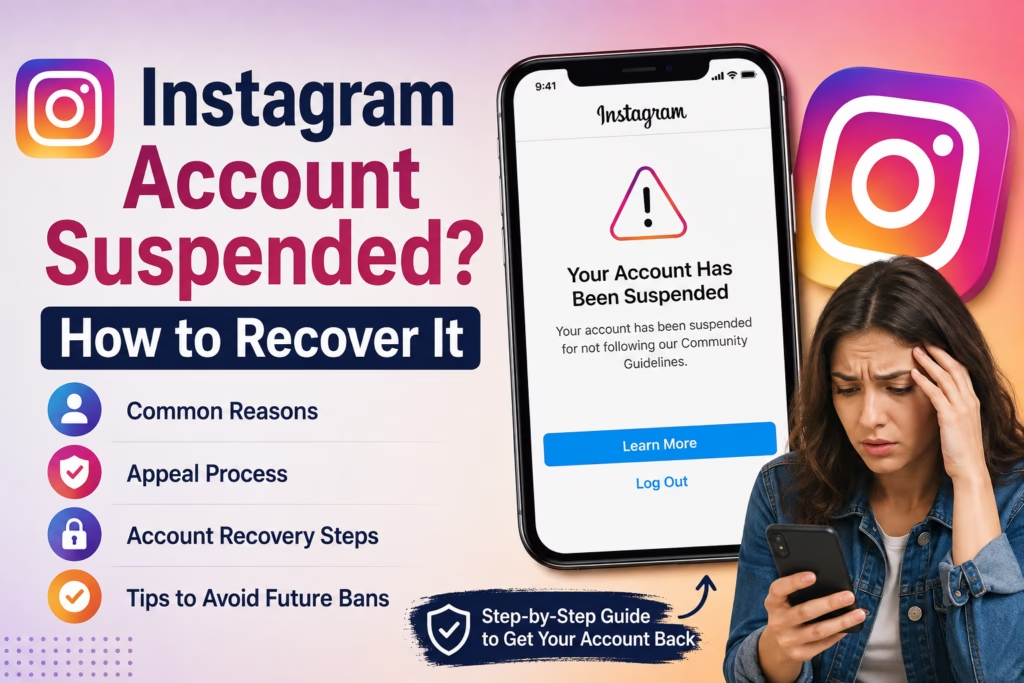
An Instagram account suspension means Meta has temporarily restricted access to your account because it believes there may have been a violation of its Community Guidelines or Terms of Use.
When your account is suspended, you may experience one or more of the following:
- Unable to log in
- Message stating your account has been suspended
- Temporary restriction on posting, commenting, or messaging
- Request to verify your identity
- Appeal option displayed after login
In many cases, Instagram provides an opportunity to appeal the decision if you believe your account was suspended by mistake.
Suspended vs Disabled vs Banned Instagram Account
Many users confuse these three terms, but they have different meanings.
| Status | Meaning | Recovery Possible? |
|---|---|---|
| Suspended | Temporary restriction while Instagram reviews your account | ✅ Usually Yes |
| Disabled | Account removed for violating Instagram policies | ✅ Sometimes |
| Banned | Permanent removal for serious or repeated violations | ❌ Rarely |
Understanding your account status is the first step toward choosing the correct recovery method.
Why Does Instagram Suspend Accounts?
Instagram uses automated systems and manual reviews to identify suspicious or policy-violating behavior. Even legitimate users can occasionally be flagged if their activity appears unusual.
Some of the most common reasons include:
1. Violating Community Guidelines
Posting content that violates Instagram’s Community Guidelines is one of the leading causes of account suspension.
This may include:
- Hate speech
- Harassment
- Violent content
- Copyright infringement
- Adult content
- Dangerous or misleading information
Even repeated minor violations can result in account restrictions.
2. Spam-Like Activity
Instagram actively monitors accounts for spam behavior.
Examples include:
- Following hundreds of people in a short period
- Unfollowing large numbers of users quickly
- Posting identical comments repeatedly
- Sending excessive direct messages
- Using automated engagement tools
These actions can make Instagram believe your account is being controlled by a bot.
3. Using Third-Party Apps
Many users connect their Instagram accounts to applications that promise:
- More followers
- Automatic likes
- Scheduled comments
- Auto DMs
- Engagement growth
Unauthorized third-party apps violate Instagram’s policies and can lead to account suspension.
4. Suspicious Login Activity
Instagram may temporarily suspend your account if it detects unusual login attempts, such as:
- Logging in from multiple countries within a short time
- Frequent IP address changes
- VPN usage that appears suspicious
- Multiple failed login attempts
These measures are designed to protect your account from unauthorized access.
5. Fake or Misleading Information
Using a fake identity, impersonating another person, or providing inaccurate account information may also result in suspension.
For business accounts, ensuring that your profile information is accurate and authentic can help reduce the risk of enforcement actions.
Signs Your Instagram Account Has Been Suspended
Depending on the type of enforcement, you may notice one or more of the following:
- “Your account has been suspended.”
- “We’ve suspended your account.”
- “You can appeal this decision.”
- “Your account doesn’t follow our Community Guidelines.”
- Login blocked until identity verification is completed.
- Requests to upload a selfie video or ID for verification.
These messages typically include instructions for the next steps.
Can a Suspended Instagram Account Be Recovered?
Yes, in many cases.
If your suspension was triggered by an automated review or a misunderstanding, you may be able to regain access by completing Instagram’s appeal and verification process.
Recovery is generally more likely when:
- You did not intentionally violate Instagram’s rules.
- Your account was mistakenly flagged.
- You respond promptly to Instagram’s verification requests.
- You provide accurate information during the appeal.
However, accounts involved in repeated or serious policy violations may face longer restrictions or permanent removal.
Things to Do Before Appealing
Before submitting an appeal, take a few minutes to prepare.
Check Your Email
Instagram often sends emails explaining why your account was suspended and what steps you need to take.
Make sure the email is genuinely from Meta or Instagram before clicking any links.
Try Logging In Again
Sometimes a temporary technical issue or security review may prevent access for a short period.
Log in through the official Instagram app or website to check whether an appeal option is available.
Review Instagram’s Community Guidelines
Understanding the rules can help you identify whether any recent activity might have triggered the suspension and prepare a more accurate appeal.
Avoid Multiple Appeals
Submitting repeated appeals within a short time can slow the review process. Complete one appeal carefully and wait for Instagram’s response before trying again.
Step-by-Step Guide to Recover a Suspended Instagram Account
If Instagram has suspended your account, don’t panic. In many cases, users can regain access by following the official recovery process. The key is to act promptly, provide accurate information, and avoid using unofficial recovery services.
Step 1: Open the Instagram App or Website
Start by logging into your account using the official Instagram app or website.
If your account has been suspended, you’ll usually see a message such as:
- Your account has been suspended.
- Your account has been disabled.
- You can appeal this decision.
If an Appeal or Learn More button appears, tap it to begin the recovery process.
Step 2: Verify Your Identity
Instagram may ask you to confirm that you’re the rightful owner of the account.
Depending on the situation, you may be asked to:
- Verify your email address
- Confirm your mobile number
- Enter a verification code (OTP)
- Complete two-factor authentication (if enabled)
Always use the email address and phone number originally linked to your Instagram account.
Step 3: Submit an Appeal
If you believe your account was suspended by mistake, you can submit an appeal directly through Instagram.
During the appeal process, you may be asked to provide:
- Full Name
- Instagram Username
- Registered Email Address
- Mobile Number
- Reason why you believe the suspension was incorrect
Keep your explanation short, professional, and honest.
Example Appeal Message
Hello Instagram Support,
I believe my Instagram account was suspended by mistake. I have always tried to follow the Community Guidelines and Terms of Use. If my account violated any policy unintentionally, I sincerely apologize. Kindly review my account again and restore access if possible.
Thank you.
Avoid writing long emotional messages or submitting multiple appeals with different information.
Step 4: Complete Identity Verification
For some accounts, Instagram requests additional verification before restoring access.
This may include:
Selfie Video Verification
Instagram may ask you to record a short selfie video to confirm you’re a real person.
During this process:
- Ensure good lighting.
- Remove sunglasses or face coverings.
- Follow the on-screen instructions carefully.
- Keep your face clearly visible.
The video is used only for identity verification and is reviewed according to Meta’s policies.
Government ID Verification
Business accounts or accounts flagged for security reasons may be asked to upload a government-issued ID.
Accepted documents may include:
- Passport
- Driving Licence
- National Identity Card
Ensure that the uploaded image is clear, readable, and matches the information associated with your account.
Step 5: Wait for Instagram’s Review
After submitting your appeal and completing any requested verification, Instagram will review your case.
The review process varies depending on the complexity of the case and the number of appeals being processed.
Typical Review Times
| Situation | Estimated Time |
|---|---|
| Automated Review | A few hours |
| Manual Review | 1–3 days |
| Identity Verification | 2–7 days |
| Complex Cases | Up to several weeks |
Some users receive a response within hours, while others may need to wait longer.
Avoid submitting repeated appeals during this period, as it may delay the review process.
How to Check Your Appeal Status
You can monitor your appeal by:
- Logging into Instagram periodically.
- Checking your registered email inbox.
- Reviewing your Spam or Junk folder.
- Looking for notifications from the Instagram app.
If your appeal is successful, you’ll receive a confirmation email and regain access to your account.
What Happens If Your Appeal Is Approved?
Once Instagram restores your account:
- All posts usually become visible again.
- Followers and following lists are restored.
- Stories and Highlights reappear.
- Messages become accessible.
- Business tools are reactivated (if applicable).
However, Instagram may still issue warnings or temporary feature restrictions if policy violations were detected.
What If Your Appeal Is Rejected?
If Instagram rejects your appeal, don’t lose hope immediately.
First, carefully review the reason provided.
If you genuinely believe the decision was incorrect:
- Re-read Instagram’s Community Guidelines.
- Ensure all account information is accurate.
- Wait before submitting another appeal.
- Avoid sending multiple requests within a short period.
For business accounts, additional verification may sometimes be required before another review is considered.
If Instagram confirms that your account permanently violated its policies, recovery may no longer be possible.
Common Mistakes That Delay Recovery
Many users unintentionally make their situation worse.
Avoid these common mistakes:
Submitting Multiple Appeals
Sending numerous appeals every few minutes or hours does not speed up the review process. It may actually slow it down.
Using Fake Information
Never submit false names, fake IDs, or incorrect contact details.
Providing inaccurate information can reduce the chances of recovery.
Paying “Recovery Experts”
Be cautious of people claiming they can restore suspended Instagram accounts for a fee.
Most of these services are scams and cannot influence Instagram’s review process.
Using Third-Party Automation Tools
While waiting for your account to be reviewed, avoid logging in through:
- Auto follower apps
- Auto liker tools
- Engagement bots
- Unofficial Instagram clients
These tools may trigger additional security checks or further violations.
Can You Create a New Instagram Account?
Yes, but only if your original account has been permanently removed and doing so complies with Instagram’s Terms of Use.
If your suspended account is still under review, it’s generally better to wait for Instagram’s decision rather than immediately creating another account, as this may complicate the recovery process in some cases.
How to Avoid Your Instagram Account Being Suspended Again
Recovering a suspended Instagram account can be time-consuming, so it’s important to follow Instagram’s rules to reduce the risk of future suspensions. Most account restrictions occur because of unusual activity or violations of Meta’s policies, many of which users don’t realize they’re committing.
Follow Instagram’s Community Guidelines
Instagram’s Community Guidelines are designed to keep the platform safe for everyone. Before posting content, make sure it doesn’t violate rules related to:
- Copyright infringement
- Hate speech
- Violence or graphic content
- Nudity or adult content
- Harassment and bullying
- Misinformation
- Illegal activities
- Spam
Even if a post is removed only once, repeated violations can increase the chances of your account being restricted.
Avoid Spam-Like Behaviour
Instagram’s automated systems monitor account activity around the clock.
Avoid actions such as:
- Following hundreds of accounts within minutes
- Unfollowing users repeatedly
- Posting the same comment on multiple posts
- Sending identical DMs to many people
- Liking hundreds of posts in a short time
- Using hashtags excessively
If your activity looks unnatural, Instagram may temporarily limit or suspend your account.
Don’t Use Unauthorized Third-Party Apps
Many apps promise:
- Free followers
- Auto likes
- Auto comments
- Mass following
- Automatic messages
Using these services violates Instagram’s Terms of Use and is one of the most common reasons for account suspension.
Instead, grow your account organically using quality content and genuine engagement.
Enable Two-Factor Authentication (2FA)
One of the best ways to secure your account is by enabling Two-Factor Authentication (2FA).
Benefits include:
- Better account security
- Protection against hackers
- Faster identity verification
- Reduced risk of unauthorized logins
Instagram allows authentication through SMS or an authentication app.
Keep Your Contact Information Updated
Always ensure your:
- Email address
- Mobile number
- Password
are up to date.
If Instagram needs to verify your identity, outdated contact information can delay the recovery process.
Use a Strong Password
A secure password should include:
- Uppercase letters
- Lowercase letters
- Numbers
- Special characters
Avoid using common passwords or the same password across multiple websites.
Instagram Community Guidelines: Key Rules to Remember
Here are some of the most important rules every Instagram user should follow:
| Rule | Recommendation |
|---|---|
| Use authentic information | Avoid fake identities or impersonation |
| Share original content | Respect copyright and intellectual property |
| Avoid spam | Don’t automate likes, comments, or follows |
| Respect other users | Avoid harassment, hate speech, or abusive language |
| Protect account security | Enable Two-Factor Authentication and use a strong password |
| Use trusted apps only | Avoid unauthorized third-party tools |
Following these guidelines can significantly reduce the risk of future account restrictions.
Quick Recovery Checklist
If your Instagram account gets suspended, follow this checklist:
- Stay calm and don’t panic.
- Read the suspension message carefully.
- Check your registered email for notifications from Instagram.
- Log in through the official Instagram app or website.
- Submit an appeal if available.
- Complete identity verification if requested.
- Wait patiently for Instagram’s review.
- Avoid submitting multiple appeals.
- Never pay third-party “account recovery” services.
Conclusion
Having your Instagram account suspended can be frustrating, especially if you rely on the platform for personal connections, business, or content creation. However, a suspension doesn’t always mean your account is permanently lost. In many cases, users can successfully regain access by following Instagram’s official recovery process, completing identity verification, and submitting a genuine appeal.
The most effective approach is to remain patient, use only official Instagram channels, and avoid shortcuts such as third-party recovery services or automation tools. Once your account is restored, take proactive steps to secure it by enabling two-factor authentication, updating your contact information, and following Instagram’s Community Guidelines.
By understanding why suspensions happen and adopting safe account practices, you can significantly reduce the chances of facing the same issue again and continue using Instagram with confidence.
FAQs
Why did Instagram suspend my account?
Instagram may suspend an account for violating its Community Guidelines, engaging in spam-like activity, using unauthorized third-party apps, suspicious login attempts, or other actions that appear to compromise platform safety.
Can I recover a suspended Instagram account?
Yes. Many suspended accounts can be restored by completing Instagram’s official appeal process and verifying your identity if requested.
How long does Instagram take to review an appeal?
Review times vary. Some appeals are resolved within a few hours, while others may take several days or, in complex cases, a few weeks.
Will I lose my followers after recovering my account?
In most successful recoveries, your followers, posts, messages, and profile information are restored along with the account.
Can I create another account if mine is suspended?
If your account is still under review, it’s generally best to wait for Instagram’s decision. If your account has been permanently removed and creating a new account complies with Instagram’s Terms of Use, you may create a new account.
Can third-party services recover my Instagram account?
No. Only Instagram can review and restore a suspended account. Be cautious of anyone claiming they can recover your account for a fee, as these are often scams.